
お任せ omakase · for your GitHub
Your repos,
chef's choice.
Repokase is a native Omarchy app that sets every GitHub repository you own, collaborate on, or reach through an organization out on one counter: stats, CI, health and traffic, with actions a keystroke away and no browser tabs.
sudo pacman -U https://github.com/ninepointlabs/repokase/releases/download/v0.2.2/repokase-0.2.2-1-any.pkg.tar.zst
v0.2.2 · Arch / Omarchy · MIT · release notes
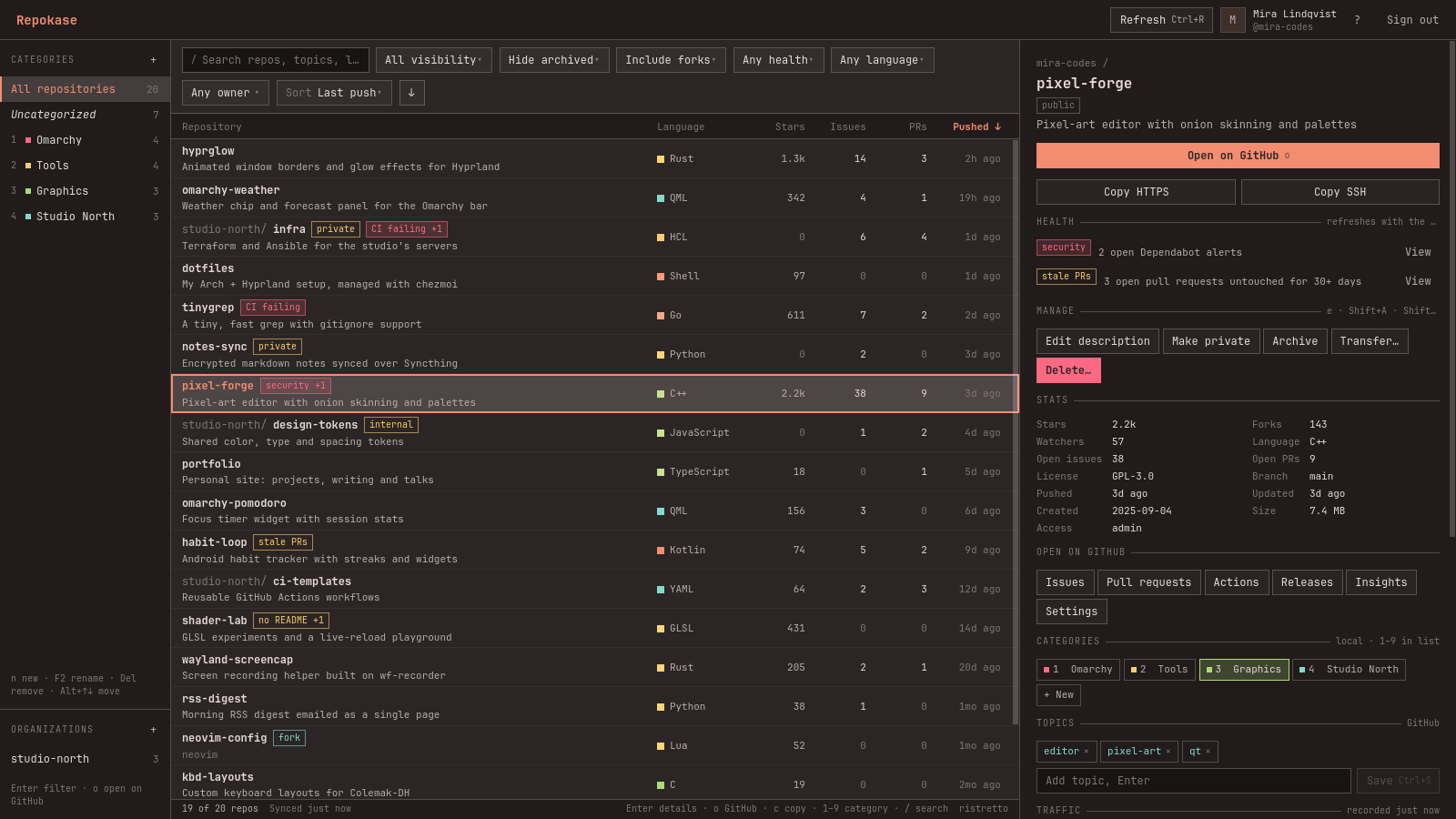
now passing · plate rims show health
- hyprglowRust · 1.3k ★
- habit-loopstale PRs
- studio-north/infraCI failing
- omarchy-weatherQML · 342 ★
- tinygrepCI failing
- dotfilesShell · 97 ★
- shader-labno README
- design-tokensinternal
- pixel-forgesecurity
- rss-digestPython · 38 ★
- kbd-layoutsC · 19 ★
- notes-syncprivate
- healthy
- needs a look
- failing or alerts
tonight's menu · eight courses
Kaiseki for repositories
No ordering, no tabs, no waiting on a browser. The chef brings it out in order.
-
sakizuke Every repo on one counter
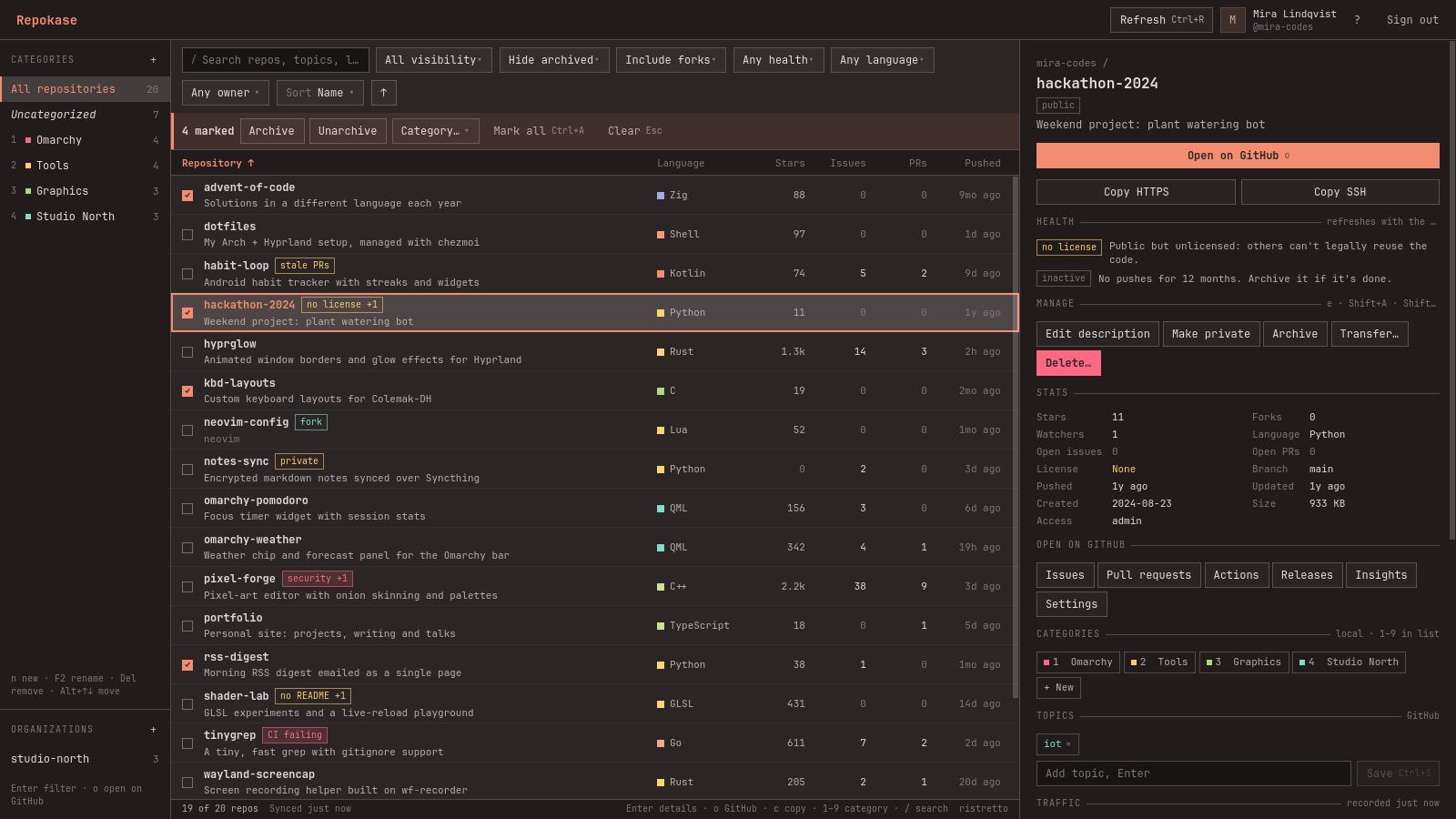
Owned, collaborator and organization repositories in a single list. It opens instantly from a local cache and refreshes in the background. Sort by anything, filter by visibility, language, owner or health, and search across names, descriptions and topics.
- instant from cache
- every word must match
- local categories
-
hassun Native to Omarchy
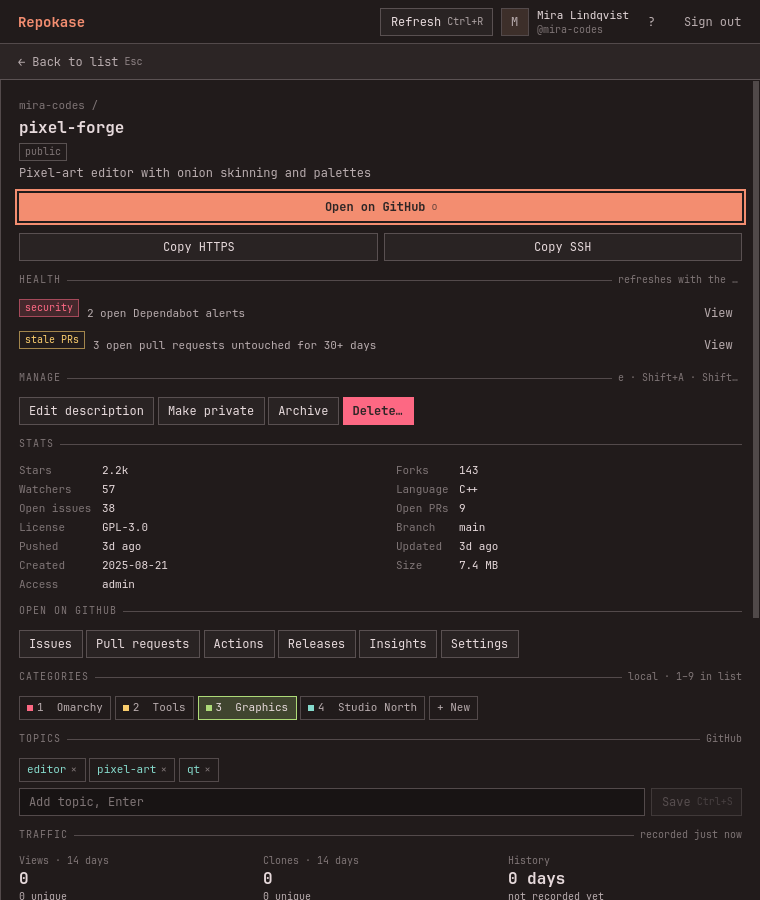
A real desktop app, not a web view. It uses Wayland app ID
repokasefor your window rules, follows your system font, and adapts to Omarchy's half-screen tiles: list and details side by side when there's room, one at a time when there isn't.- class:repokase
- keyboard first
- F1 lists every shortcut
-
mukozuke Clean cuts
Edit descriptions and topics, archive and unarchive, flip visibility, transfer a repository to an organization or another account, or delete it. The irreversible ones open on Cancel and make you type the full name.
- e · edit
- Shift+A · archive
- Shift+V · visibility
- Shift+T · transfer
Transfer mira-codes/pixel-forge
CancelTransfer to studio-north
-
yakimono Straight off the grill: Actions
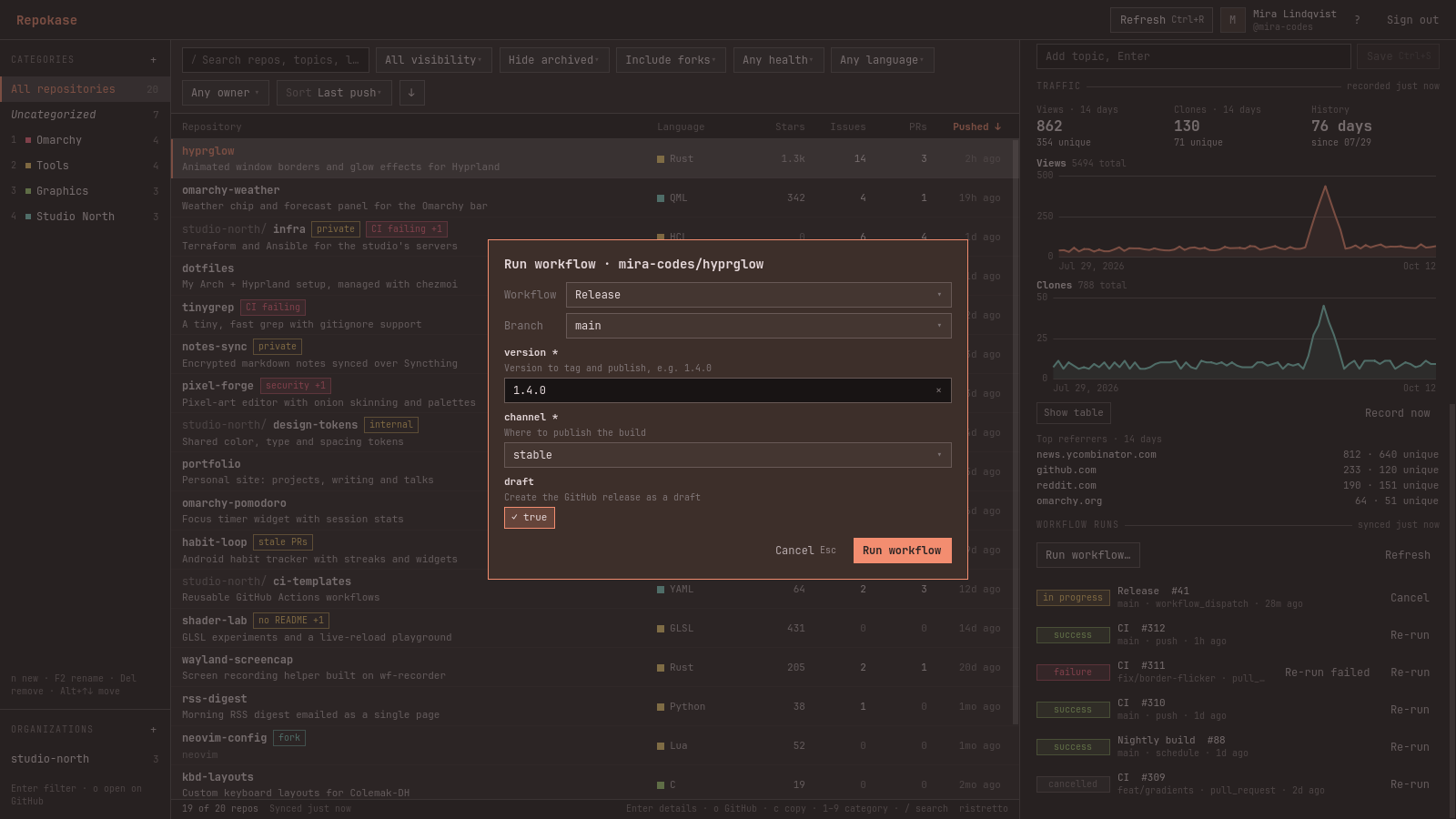
Recent workflow runs for every repo. Re-run only the failed jobs, re-run or cancel a run, and start
workflow_dispatchworkflows from a form built from their inputs. Required inputs are checked before anything is sent.- re-run failed
- cancel
- run workflow…
-
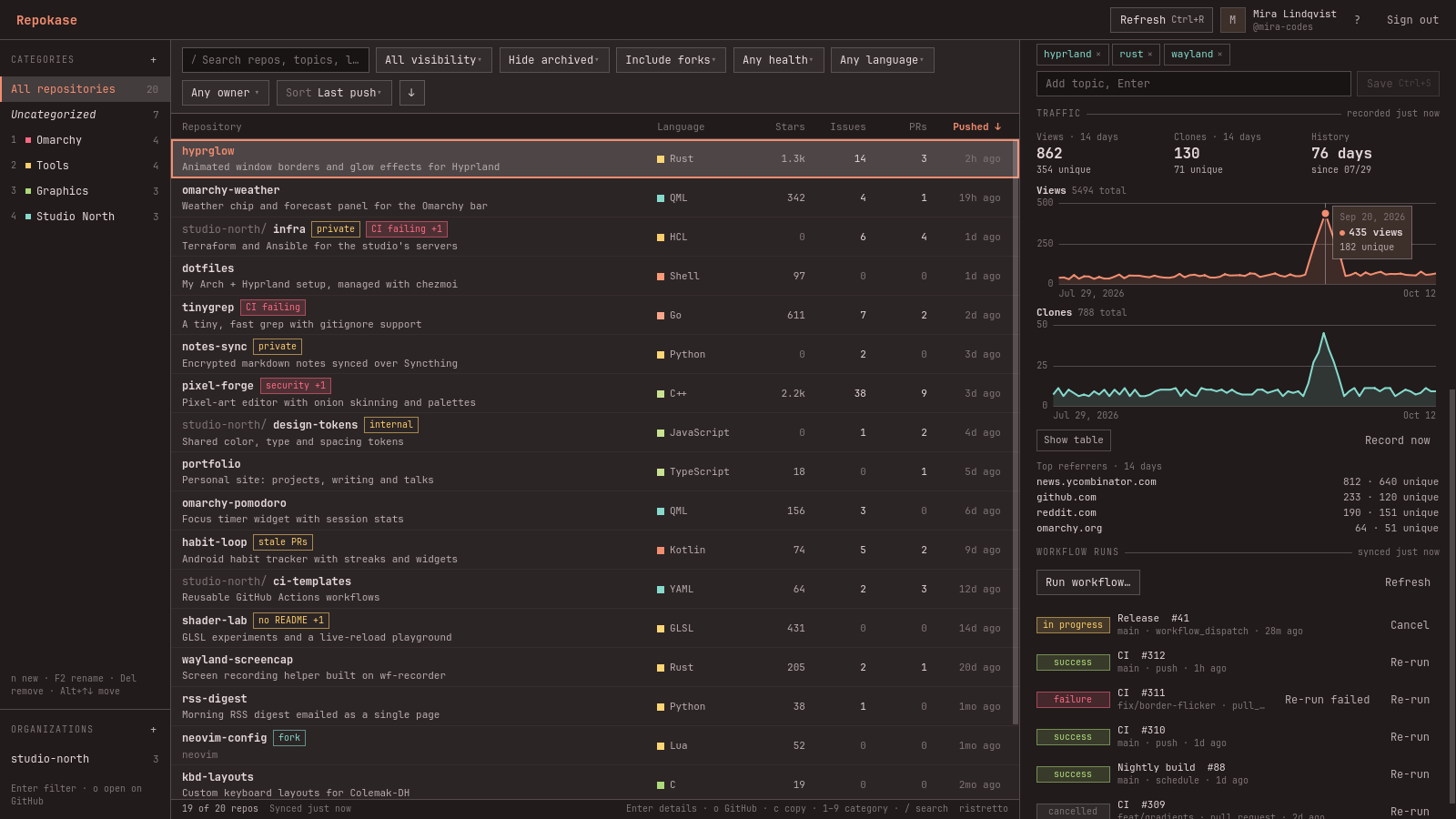
nimono Slow-simmered traffic
GitHub forgets views and clones after 14 days. Repokase records them daily into its own database, so the charts keep growing. An optional systemd user timer keeps recording on days you don't open the app.
- views · clones · referrers
- repokase-traffic.timer
-
sunomono A sharp palate: health
After every refresh, a few batched GraphQL requests check each repo, and the most serious problem shows up as a badge in the list.
- CI failing
- security
- stale PRs
- no README
- no license
- inactive
-
gohan The staples: bulk, categories, organizations
Mark a handful of repos with x and archive them together or file them into a category. Organizations get their own place in the sidebar: one click narrows the list to an org and opens its people and settings.
- x · mark
- 1–9 · category
- Ctrl+A · mark all
-
mizumono Dessert: it wears your theme
Run
omarchy theme setand Repokase repaints on the spot with your palette, spacing and font. No restart. Try it on this page with the prompt at the top.
chopsticks · no mouse required
Eat with your keyboard
- jk
- move through the list
- /
- search
- Enter
- details
- o
- open on GitHub
- c
- copy URL
- 1–9
- toggle a category
- e
- edit description
- ShiftA
- archive
- ShiftV
- visibility
- ShiftT
- transfer
- x
- mark for bulk
- CtrlR
- refresh
kitchen rules · what happens to your data
An open kitchen
Your token stays in the keyring
Sign in with GitHub's device flow: Repokase never sees your password and has no client secret. The token lives only in the Secret Service keyring, never in a file or a log.
Only GitHub, nothing else
Nothing is sent anywhere except
github.comandapi.github.com. No telemetry, no accounts, no server of ours.Minimal permissions
read:org,read:user,repoandworkflowat sign-in.delete_repoonly the first time you delete something, after Repokase explains why.A cache you can throw away
Repos, runs, categories and traffic live in one SQLite file under
~/.local/share/repokase. Delete it any time; the next refresh rebuilds what came from GitHub.
take a seat
Install
From a release
A ready-built Arch package. pacman pulls the dependencies from the official repos.
sudo pacman -U https://github.com/ninepointlabs/repokase/releases/download/v0.2.2/repokase-0.2.2-1-any.pkg.tar.zst
From source
Builds the tagged release, checks its checksum and runs the tests.
git clone https://github.com/ninepointlabs/repokase
cd repokase/packaging
makepkg -si
Then
Launch Repokase from the app launcher, press Enter to sign in,
and approve the code on GitHub. You need a Secret Service keyring:
gnome-keyring ships with Omarchy.